All class blogs hosted on ACU Blogs include mobile access for iPhone and iPod touch users. The mobile version of the Cornerstone Portal includes a number of features you will want to know about this semester:
.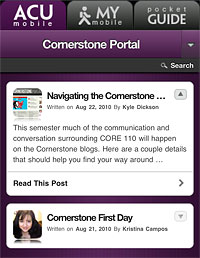
- Complete access to Cornerstone blog posts and weekly Spotlight pages.
- Ability to add comments and vote on polls.
- Access to mobile-compatible media files and embedded video.
- Spotlight Resources on weekly speaker page with mobile-compatible documents and links (*resources will appear a week before each Spotlight.)
.
Quick Tips
As you’re looking around the mobile interface, don’t miss the following features:
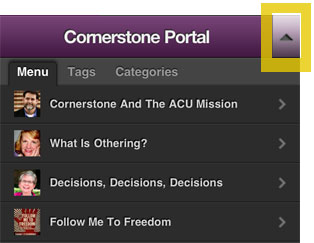
- Tap on the triangle in the blog title bar to open and close the main Spotlight menu.
- Go to the weekly Spotlight page to review the Resources section each week.
- Return to the main homepage by tapping on the Cornerstone Portal title bar.
- Look for images with “Play Video” or “Play Full Episode” underneath them for access to content not on YouTube.
.
Getting There
Both the desktop and mobile versions of the Cornerstone Portal can be accessed from the same address. Since we’ll be using the portal regularly this semester, you might tap the + icon on your mobile browser and “Add to Home Screen” to create a shortcut.
http://www.acu.edu/cornerstonef11
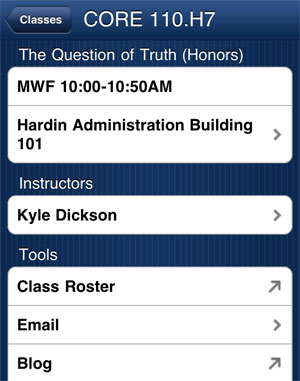
Students will find a link directly to their myCornerstone class blog from MyACU or ACU Mobile. On a mobile device, go to My Mobile at http://m.acu.edu/my-mobile . From the Classes list, you’ll find the following class tools for CORE 110. The myCornerstone blog link is at the bottom.