
WordPress Basics screencasts
Tags:
Mike Wiggins put together a couple new screencasts that may help new WordPress users working with the text editor and adding images to their blog.
 Publishing a Post (14 min)
Working with Images (9 min)
A collaborative project between academic technology and IT providing tools to support the way we live, work, and learn.



Mike Wiggins put together a couple new screencasts that may help new WordPress users working with the text editor and adding images to their blog.
Publishing a Post (14 min)
Working with Images (9 min)
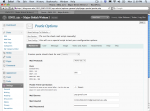 Now that you’ve had a week to find your way around the WordPress Dashboard, you may be ready to try out post by email. This was one of the key features faculty in the blog pilot last spring wanted to bring over to ACU Blogs. Post by email is a great way to publish content quickly:
The following screencast will introduce you to Postie, the WordPress plugin that handles post by email, along with the main settings that give you more control over who can (and can’t) use the class blog email address.
Post by Email with Postie (8 min)
In the screencast, I mention a small problem with the current image attachment settings. Postie handles images fine, adding them to the appropriate post, but you may notice a hiccup in the way image borders are displayed. Here are a couple changes that should iron things out:
Let me know if you have any other questions about post by email.
 Our friend Mike Wiggins has taken time he didn’t have the week before classes start to make life easier for new blog owners. He is the designer of our ACU Blogs theme and has put together two screencasts introducing the first-time setup and use of a custom widget he designed for your sidebar.
Basic Blog Setup for ACU Blogs
Custom Navigation Widget for ACU Blogs
In the coming weeks, we’ll be spotlighting additional features like post by email or the mobile interface in follow-up screencasts. Thanks again to Mike for his help.