All ACU faculty submitting an academic portfolio for tenure or promotion will need to submit their final product digitally. Successful portfolios have been produced as PDFs, Google Sites, Canvas courses, and (in the process detailed here) WordPress blogs.
The following site is a collaboration between the Adams Center and the Learning Studio to help support faculty as they begin to develop their own digital portfolio.
Welcome to Your Academic Portfolio
The process of producing an academic portfolio is a formative step in developing as a teacher and scholar. It gives you an opportunity to share evidence of your work, addressing audiences across campus that may need guidance in understanding your journey as a teacher, the types of scholarly productivity central to growth in your discipline, and the various ways that you have served your profession, the university, and the community. Your portfolio allows you to help colleagues appreciate your growth and accomplishments, so be sure that you cover each area fully, and seek feedback from staff in the Adams Center, your colleagues, and your department chair. Broadcasting our own accomplishments isn’t something that comes naturally to many of us, but the academic portfolio can provide the campus with a record of professional growth that demonstrates your excellence in teaching, scholarship, and service.
Dr. Laura Bolin Carroll, Executive Director, Adams Center
Help Getting Started
The tools for producing portfolios have changed a lot since faculty used to amass large three-ringed binders. In the transition to digital portfolios, the T&P committee has remained “tool agnostic,” supporting any platform that helps you showcase your best work and reflection. Before offering some general resources and sample portfolios, I wanted to share two videos I produced for a training session that reflect on elements of a strong digital portfolio and how to begin one if you choose to use WordPress. Best of luck!
Dr. Kyle Dickson, Executive Director, Learning Studio
>> Overview of Recent Digital Portfolios
>> Building a Portfolio in WordPress
Tenure & Promotion Requirements
- ACU Faculty Handbook – Chapter 3
Sample Portfolios (for application to Associate Professor and/or Tenure)
- Catherine Baumgartner, Theatre (Wix)
- Kilnam Cha, Bible, Missions, and Ministry
- Wes Crawford, Graduate School of Theology (Google Sites)
- Jim Drachenberg, Engineering and Physics
- Sarah Easter, Management
- John Ehrke, Mathematics
- Kelly Elliott, History
- Kelli Gibson, Graduate School of Theology
- Jennifer Huddleston, Biology
- Mac Ice, Library
- Kendra Jernigan, Agriculture and Environmental Science (Google Sites)
- Ryan Jessup, Management
- Candice Ortbals, Political Science (Canvas)
Sample Portfolios (for application to Full Professor)
- Kyle Dickson, Language & Literature
- John Homer, School of Information Technology & Computing
- Cynthia Powell, Chemistry & Biochemistry
- Autumn Sutherlin, Chemistry & Biochemistry
Beginning Your Digital Portfolio
Your final product will combine written reflections, sample assignments, letters of support, and other evidence presented as text. The nice thing about a digital portfolio is that these pages can also include links to PDFs and external websites, images of letters, notes, or other physical artifacts, and media either linked or embedded into your pages.
The following resources should help simplify the process of getting started.
STEP 1: Request Portfolio
Submit a request to create your WordPress portfolio by sending your preferred first name and last name to support@acu.edu. They will create a new portfolio blog for you at blogs.acu.edu/FirstnameLastname. If you are applying for promotion to Professor and would like to create a new portfolio (rather than revising and losing the work on your first portfolio), you can request a second WordPress portfolio using a variation of your name. (For example, you might flip your first and last name or use your first initial instead of your full first name.)
STEP 2: Video Tutorials
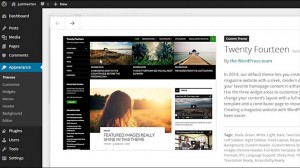 If you’re new to WordPress, the following video course will introduce you to the difference between posts and pages, tags and categories, sidebars and menus. LinkedIn Learning is a great headstart.
STEP 3: Making Blog Visible
When your blog is first created, it is only visible to you as the admin or only registered user of your site. Once you have finished editing your final portfolio, you’re ready to make it visible to those who will need access to review your portfolio.
There are two ways to do this.
- Your department Chair
- Faculty reviewers in your department (list of names available from your Chair)
- Your Dean
- The University Tenure & Promotion Committee (list of names available from the current UTPC Chair or the Provost)
- The Provost
After granting access to each of these people, you will need to email each of them and provide the appropriate link to your portfolio.